

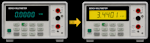
Video Blog 148 - Advantest R6581T 8.5digit DMM Display Upgrade to TFT LCD
- Details
- Published: Tuesday, 17 December 2024
- Hits: 4246
DISCLAIMER: This video is educational only, so if you decide to do the same yourself then you are on your own, I can't be held responsible for any problems/issues/damage/injury that may occur if you decide to follow this blog and try it yourself.
VIDEO BLOG
I recently replaced the VFD on my Advantest 8.5digit DMM with an OLED display thanks to the great reverse engineering work by MickleT.
Now I take a step further by making extensive mods to MickleT's code and driving a bigger, higher resolution, colour TFT LCD. The ultimate VFD upgrade.
Files:
GIT .HEX file = https://github.com/Ian-Johnston/R6581_VS_Display/tree/master/VisualGDB/Debug
Gerbers = https://www.ianjohnston.com/R6581_TFT/Gerbers.zip
Instructions = https://www.ianjohnston.com/R6581_TFT/Instructions.pdf
GIT source = https://github.com/Ian-Johnston/R6581_VS_Display
Parts:
LCD & LT7680A-R (c/w flat flex & FPC conn) = https://www.buydisplay.com/bar-type-4-58-inch-320x960-ips-tft-lcd-display-spi-rgb-interface
1 x 33uF 100V electrolytic capacitor (optional)
1 x 100uF 10V electrolytic capacitor
1 x 1uF polyester capacitor
2 x 10mm M3 brass standoffs
1 x STM32 Blue Pill
1 x 5-way male SIL header
2 x 20-way arduino style female header
2 x Strips 2mm double sided tape
1 x Strip 6mm single sided foam
YouTube Video:
Use an STLink V2 or V3 programmer, clone's should work.
Leave the Boot0 & Boot1 headers as default.
The following can be done with the BluePill in-place and my Pcb connected to the meter,
otherwise you will need +5v power to the BluePill board if doing standalone.
Connect using the SWD connector (the USB connector is not used):
SWDIO -> SWDIO
SWCLK -> SWCLK
GND -> GND
3.3V -> 3.3V (VREF)
NRST -> NRST
Method 1:
Open STM32 ST-LINK Utility
Target -> Connect
File -> Open File
Select .hex file
Target -> Program & Verify
Click Start
Method 2:
Open STM32CubeProgrammer
Select:
ST-LINK
Port = SWD
Click Connect
Open File
Select .hex file
Click Download
